Peyote · Brick · Loom · Square
Turn Photos Into Beautiful Bead Patterns
Upload a photo, pick a stitch and palette, and get a pattern you can really bead: colour codes, a reader and a PDF.
Free to start. No download, no credit card. Sign in with Google.
- Free plan, no time limit
- Thousands of patterns created
How it works
From photo to finished pattern in three steps
-
01
Upload a photo
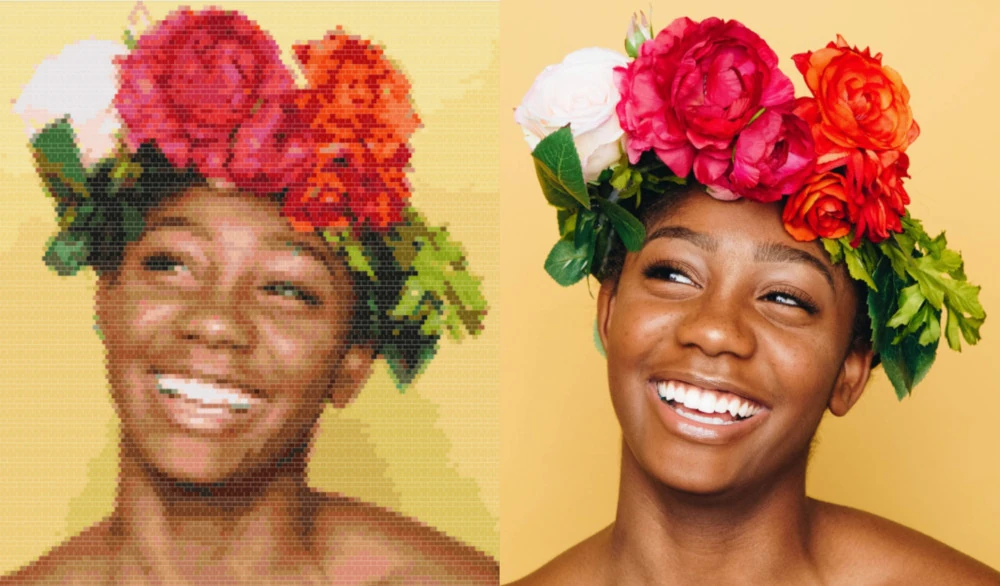
Drop in any picture: a pet, a portrait, a logo. Move and resize it over your canvas until it sits just right.
-
02
Convert it to beads
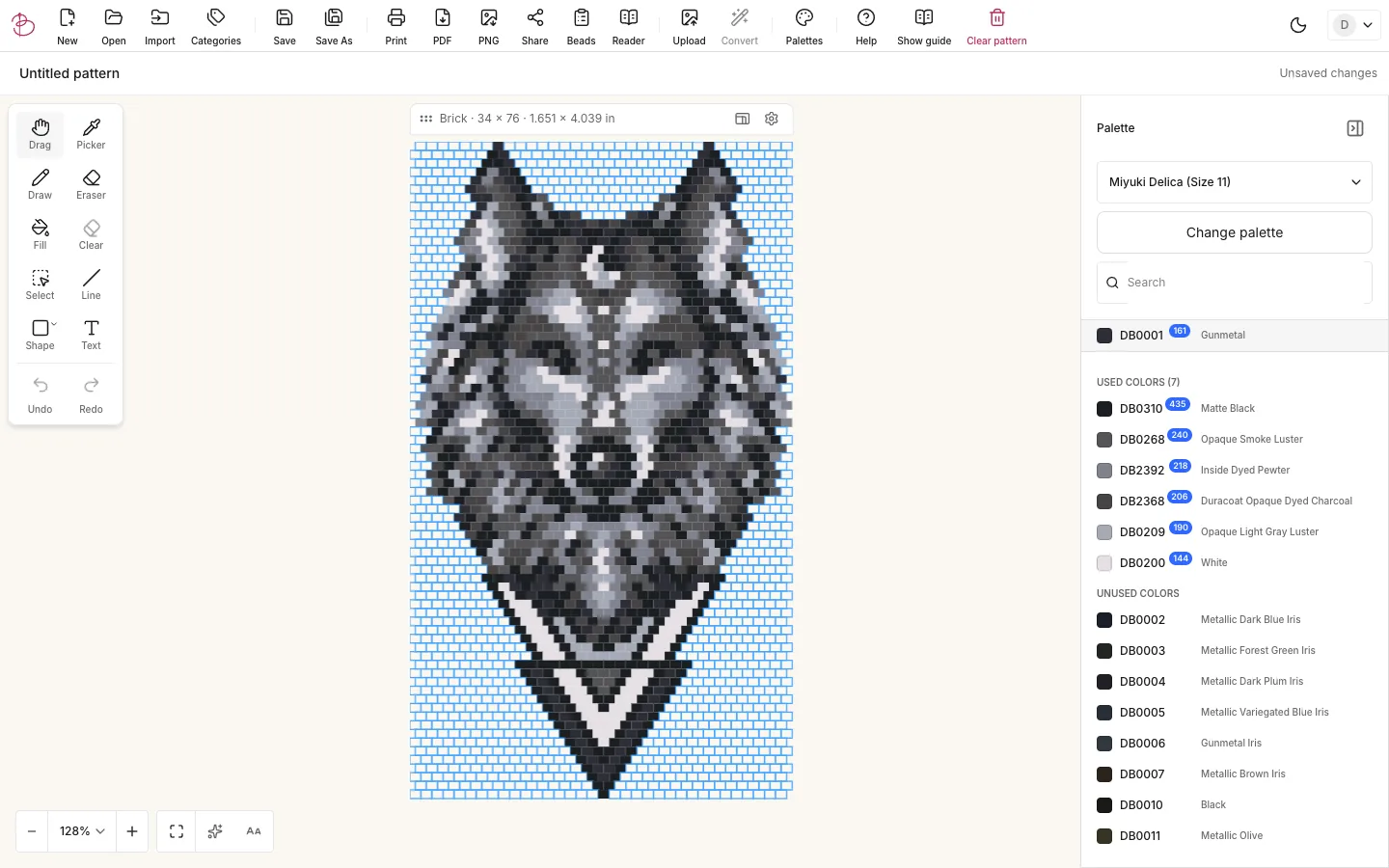
Choose the palette and how many colours to use. Every bead is matched to a real bead colour, and you can refine the result by hand with the draw, fill, line, shape and text tools.
-
03
Bead it your way
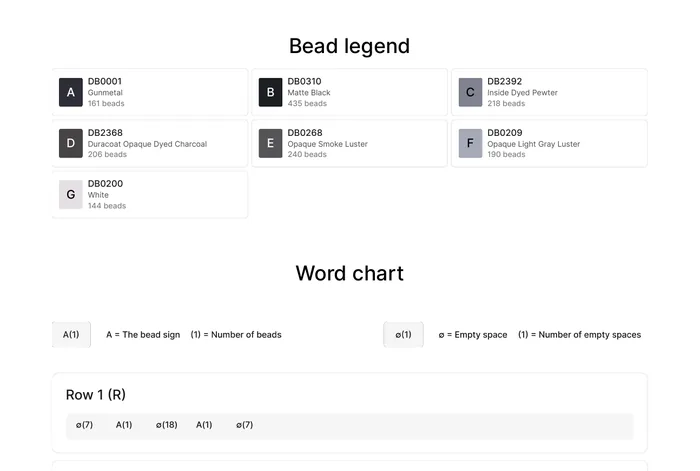
Follow the pattern row by row in the reader, check the bead list to see what to buy, or export a PDF with the chart, legend and word chart.
Features
Everything between the idea and the last bead
-
Your photos, in real bead colours
Colour reduction, texturing and sampling options let you decide how detailed the result is. Switch the whole pattern to another palette later and review every match before you apply it.
-
A reader that keeps your place
Read the pattern one row at a time with bead counts and direction. Mark rows as done, jump to any row, turn on auto-play or have each row read aloud while your hands stay on the needle.
-
Know what to buy
The bead list counts every colour and estimates how many tubes you need, so you can check your stash before you start.
-
Design from scratch too
Start with an empty canvas and draw bead by bead. Select, move, mirror, rotate and repeat parts of the pattern, or add rows and columns as the design grows.
Import your existing .btp pattern files.
Print-ready PDF with word chart
Export a clean PDF with a cover page, bead chart, bead legend and word chart. Choose the paper size and bead size, and add your own name or shop to the header.
Works where you bead
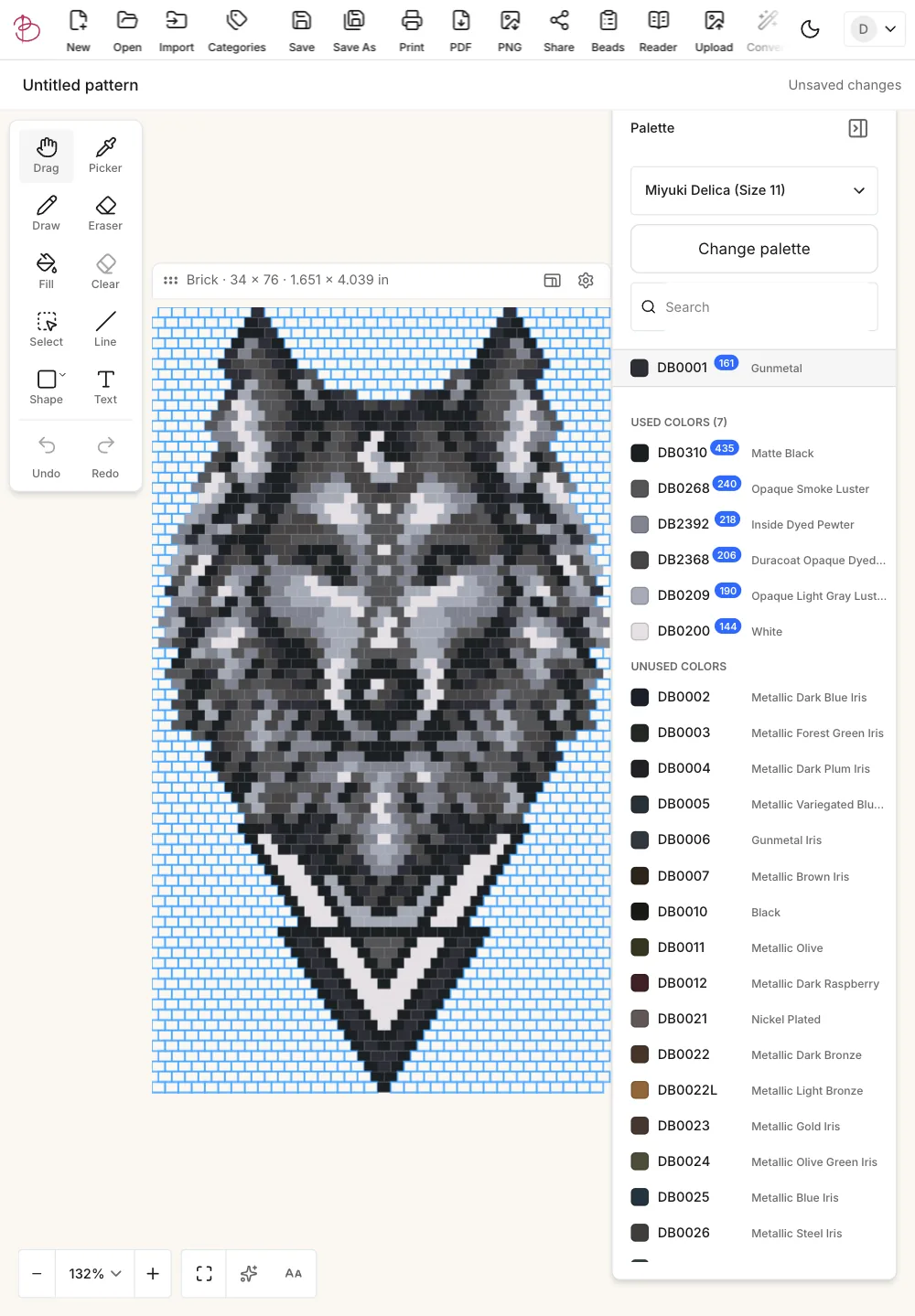
Nothing to install. The editor runs in the browser on desktop, tablet and phone, in light or dark mode, and your patterns are saved to your account.
Stitch types
Every stitch you work in
The canvas follows the real bead layout of each stitch, so what you see is what you bead.
-
Peyote
Classic offset columns. Also available as 2-drop up to 9-drop peyote.
-
Brick
Offset rows, perfect for earrings and shaped pieces.
-
Loom
A straight grid for loom work and wide panels.
-
Square
Straight rows and columns for square stitch bracelets and tapestries.
Palettes
Real bead palettes, or your own
Pick a built-in palette with the manufacturer's colour codes, or build a custom palette from the beads you already own.
- Miyuki Delica 11/0
- Miyuki Delica 15/0
- Miyuki Round Seed 11/0
- Miyuki Round Seed 8/0
- Toho Round Seed 11/0
- +Your custom palettes
Collect the colours you have at home and convert photos using only those. Search by code or name, see which colours a pattern uses and how many beads of each.
Pricing
Start free. Upgrade when you want to print.
No credit card needed for the free plan.
Free
For trying it out and small projects.
$0
No credit card needed for the free plan.
- All editing tools
- Photo to pattern conversion
- Up to 3 saved patterns
- Pattern reader preview (first rows)
- PNG image export
Premium (per year)
2 months freeFor beaders who print, share and keep everything.
$50per year
Billed annually
- Everything in Free
- Unlimited saved patterns
- Print and PDF export
- Full pattern reader
- Share patterns with a link
- Symbols on the pattern
Premium (per month)
For beaders who print, share and keep everything.
$5per month
Billed monthly
- Everything in Free
- Unlimited saved patterns
- Print and PDF export
- Full pattern reader
- Share patterns with a link
- Symbols on the pattern
30-day money-back guarantee on paid plans
What our users say
“Loving this pattern maker! User-friendly and easy import of images. Highly recommend.”
SSarah J. “Best pattern making software I've used. Detailed instructions and color adjustments. A game changer.”
EElizabeth B. “Highly recommend this app. Simple to use, professional results. Already received compliments on my work.”
CCharlotte H.
FAQ
Questions, answered
Is Bead Pattern Maker free?
Yes. The free plan includes the full editor, photo conversion and up to 3 saved patterns. Printing and PDF export are part of Premium, which costs $5 per month or $50 per year.
How do I turn a photo into a bead pattern?
Upload a photo, move and resize it over the pattern, then press Convert and choose the palette, the number of colours and how the colours are matched. You can edit every bead afterwards.
Which stitches are supported?
Peyote (including 2-drop to 9-drop), brick, loom and square stitch.
Which beads can I design with?
Built-in palettes cover Miyuki Delica 11/0 and 15/0, Miyuki Round Seed 11/0 and 8/0 and Toho Round Seed 11/0. You can also create custom palettes with your own colours.
Do I need to install anything?
No. Bead Pattern Maker runs in your browser on desktop, tablet and phone. Sign in with your Google account and your patterns are saved online.
What if Premium is not for me?
Paid plans come with a 30-day money-back guarantee.
I used the previous version. Are my patterns safe?
Yes. When you sign in to the new Bead Pattern Maker, your patterns, palettes and settings come with you.
Your next pattern starts with one photo
Create your first pattern in a few minutes. Free, in your browser.
Start Creating Free